Inmarsat IsatPhone Pro — firmware (legacy)
Firmware version and the update procedure for the legacy Inmarsat IsatPhone Pro handset.
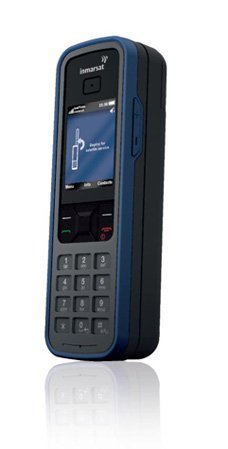
Firmware updates are done at the user's risk. It is important to follow the instructions precisely to minimise the risk of damage.
Do not proceed until you have identified the model you have. Always review the firmware documents to make sure a release is suitable for your exact model of equipment.
Current published firmware
The IsatPhone Pro firmware version 5.17.2 is available for download below.
To check you have the latest version on your IsatPhone Pro, go to Menu → Settings → About → Firmware version. As a pre-requisite for installation, the handset must already be running firmware version 3.0.2 or above.
Recommendations for installation
Firmware version 5.17.2 is a recommended release, mandatory only for users covered by the MEAS (I4-F2) satellite region.
For users covered by the MEAS (I4-F2) satellite region these firmware versions are mandatory for the IsatPhone Pro, as the versions include features to handle the unique GSPS signalling over India. Users on previous firmware versions have been rejected by the network from 1 August 2017, to comply with India’s national telecommunication regulations.

Please follow the steps below in sequence.
Step one — USB drivers
You will need to install the USB drivers first, before connecting the handset to your PC. If you do not do this, Windows will try to use another driver that is not compatible, and it will not work.
Driver installation is a three-step process: download the drivers, unzip them, then install them. All three steps are detailed in the instruction guide.
USB drivers are compatible with Windows XP, Windows Vista, Windows 7, 8 and 10. (For Windows 7, USB 3.0 is not supported.)
Download IsatPhone Pro USB drivers
Step two — installation guide
Download the PDF below — it contains instructions on how to upgrade the firmware version on the IsatPhone Pro.
Step three — firmware upgrade tool
Firmware version 5.17.2 supersedes firmware version 5.11.0. From time to time it may be necessary to upgrade your phone in order to improve its functionality and operation. You will be notified by Inmarsat and/or your service provider when a firmware upgrade is required.
Download IsatPhone Pro Firmware Upgrade Tool
Step four — download the firmware
Download from the links below and follow the instructions.
We can talk you through any update — call +44 20 7120 0009.